
Generate a Proposal Report
Generating a proposal report in ProjectStream 365 creates a professional, customer-ready document that summarizes the proposed project scope, pricing, fees, budgets, and supporting information. Proposal reports provide a consistent way to present project information to customers, stakeholders, and decision-makers while ensuring proposal data is pulled directly from ProjectStream 365.
✅ Goal
Generate a proposal report that presents project information, scope, pricing, fees, budgets, and other proposal details in a professional format suitable for review, approval, and customer submission.
📍 When to Use
Generate a proposal report when a proposal is ready for internal review, customer presentation, pricing validation, or formal submission.
Use proposal reports to:
- Present project scope and pricing
- Review proposal details with stakeholders
- Generate customer-facing proposal documents
- Support internal approvals
- Validate estimates and budgets
- Create a consistent proposal presentation
- Produce proposal documentation directly from ProjectStream 365
🚶➡️ Step-By-Step Guide
📋 Procedure
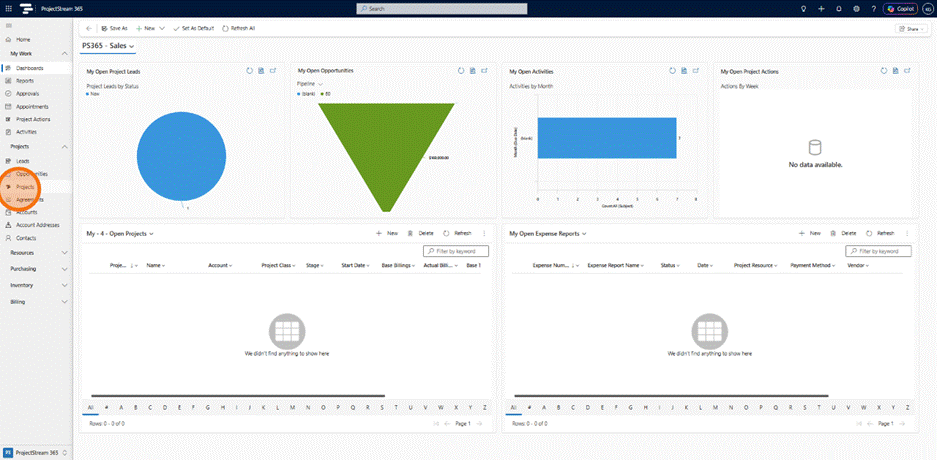
1. Navigate to Projects
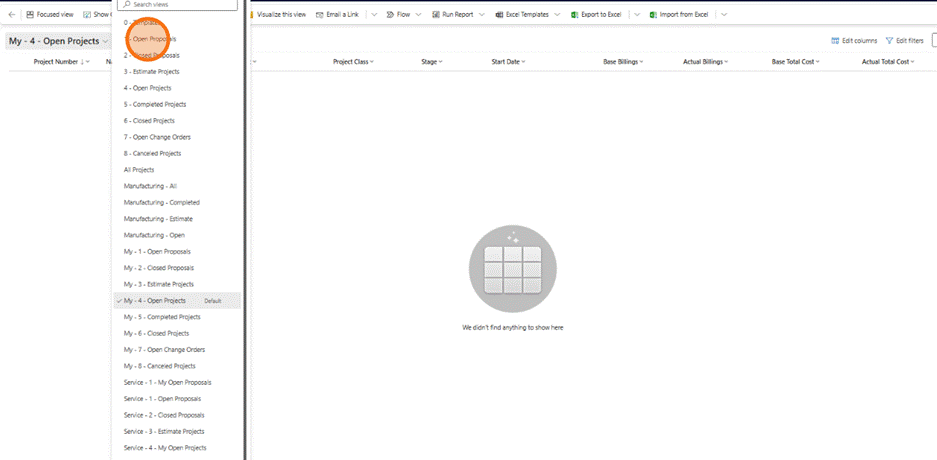
2. Click Open Proposals view
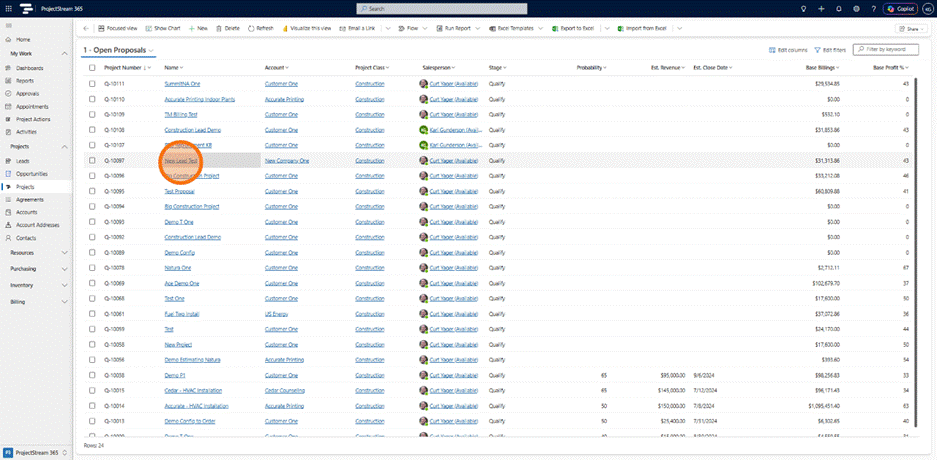
3. Select an existing proposal
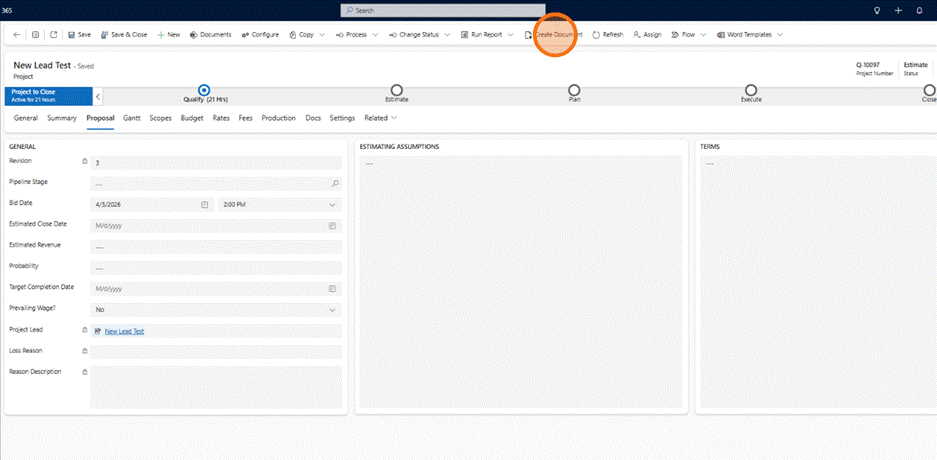
4. Click Create Document
5. Select ProjectStream 365 - Proposal (Template)
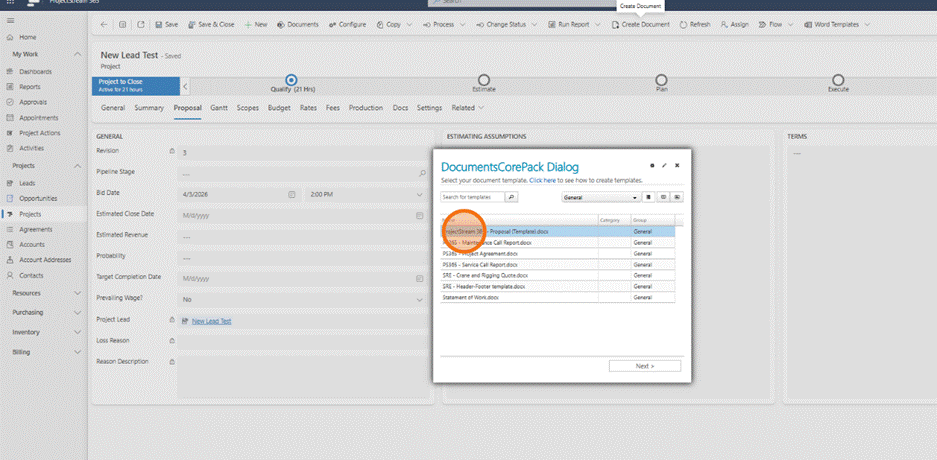
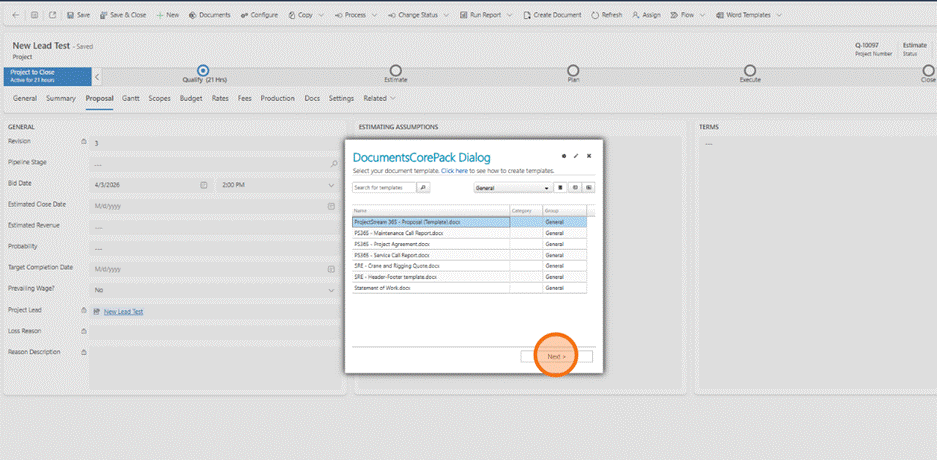
6. Click Next
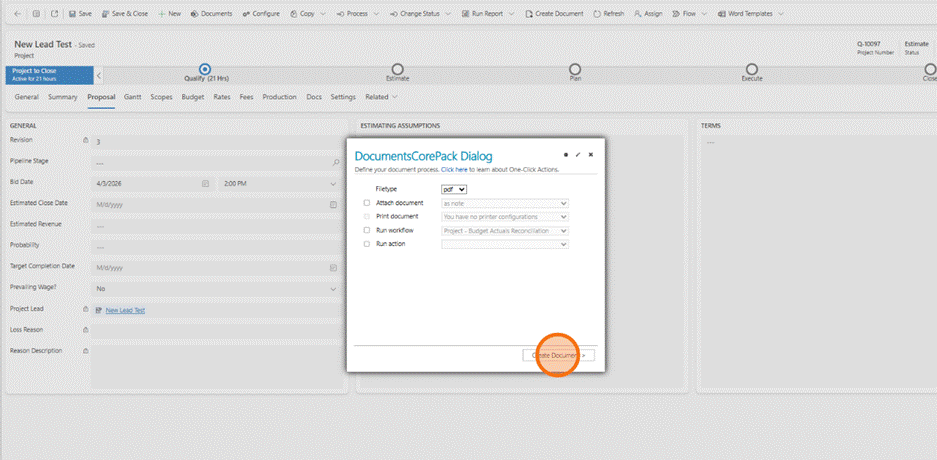
7. Choose Document details and Click Create Document
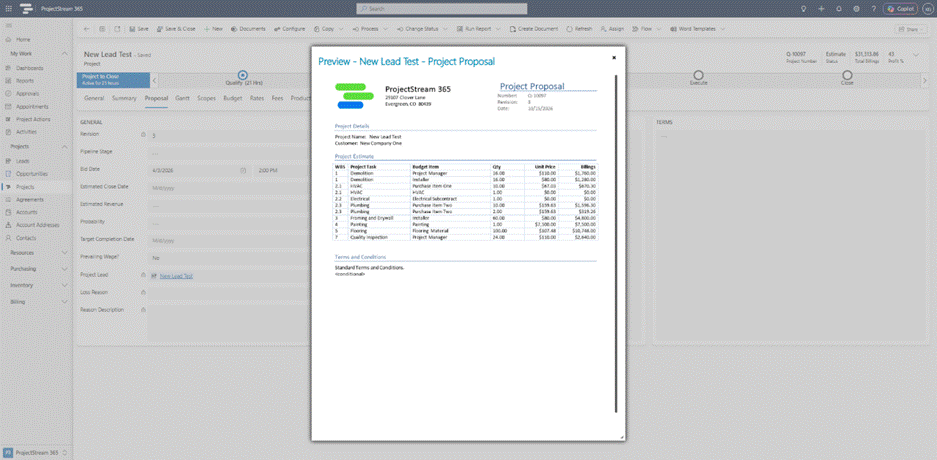
8. Click Preview to see the generated document
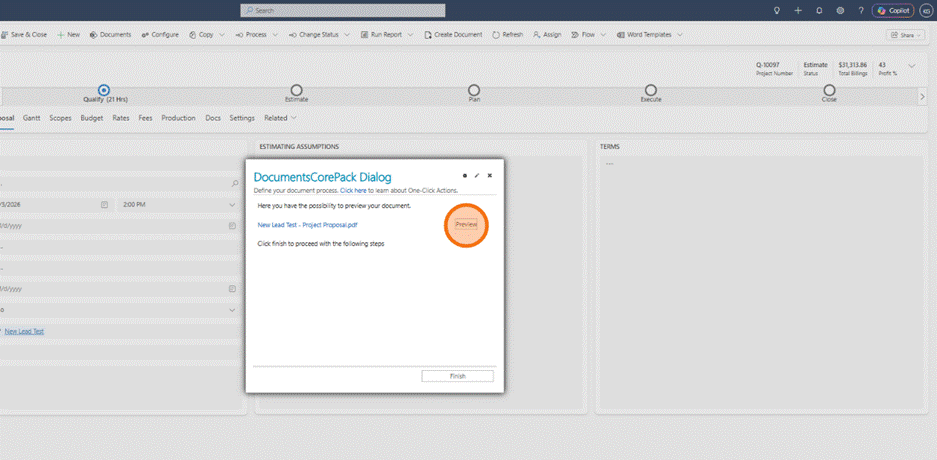
9. Report format customized for customer requirements
✅ Result
After generating the report:
- A proposal document is created from current project information.
- Scope, pricing, and fee information are consolidated into a single report.
- Proposal data is presented in a consistent format.
- Stakeholders can review proposal details before submission.
- The report can be printed, shared, or included in approval workflows.
- Customers receive a professional representation of the proposed project.
💡 Tips
- Review project budgets, fees, and scopes before generating the final report.
- Verify customer information is current to avoid proposal rework.
- Generate a review copy before distributing a customer-facing proposal.
- Use proposal revisions to track changes between report versions rather than overwriting proposal information.
- Ensure proposal pricing has been repriced and validated before generating the final document.
- Save generated reports as part of the proposal record for future reference and audit purposes.
🔗 Related Actions
- ➡ Enter a Project Proposal
- ➡ Configure Proposal from a Template
- ➡ Manage Project Scopes
- ➡ Define Resource Rates
- ➡ Enter Project Fees
- ➡ Enter / Edit Project Budgets
- ➡ Revise a Proposal
- ➡ Reprice a Proposal
- ➡ Convert Proposal
🧭 What Happens Next?
After the proposal report has been generated, review the document with internal stakeholders and the customer as needed. If changes are required, create a proposal revision, update the proposal information, regenerate the report, and maintain a complete history of proposal versions. Once accepted, the proposal can move forward in the approval process and be converted into an active project.