
Revise a Proposal
Revising a proposal in ProjectStream 365 allows project teams to respond to customer requests, scope changes, pricing adjustments, or design modifications while maintaining a complete history of proposal revisions. Rather than simply editing an existing proposal, formal revisions provide an audit trail that helps track what changed, when the change occurred, and why the change was made.
✅ Goal
Create and manage proposal revisions that document changes to scope, pricing, quantities, fees, schedules, or project requirements while preserving proposal history and maintaining version control.
📍 When to Use
Revise a proposal when customer feedback, project requirements, pricing assumptions, or project scope have changed after a proposal has already been created.
Use proposal revisions to:
- Maintain a history of proposal changes
- Track customer-requested modifications
- Document scope additions and removals
- Update pricing and estimate assumptions
- Compare proposal versions
- Preserve proposal auditability
- Ensure stakeholders understand what changed between proposal submissions
Important: Proposal revisions should be tracked as revisions rather than simply overwriting existing proposal information. Maintaining revision history provides visibility into project changes and helps prevent the loss of important proposal decisions.
🚶➡️ Step-By-Step Guide
📋 Procedure
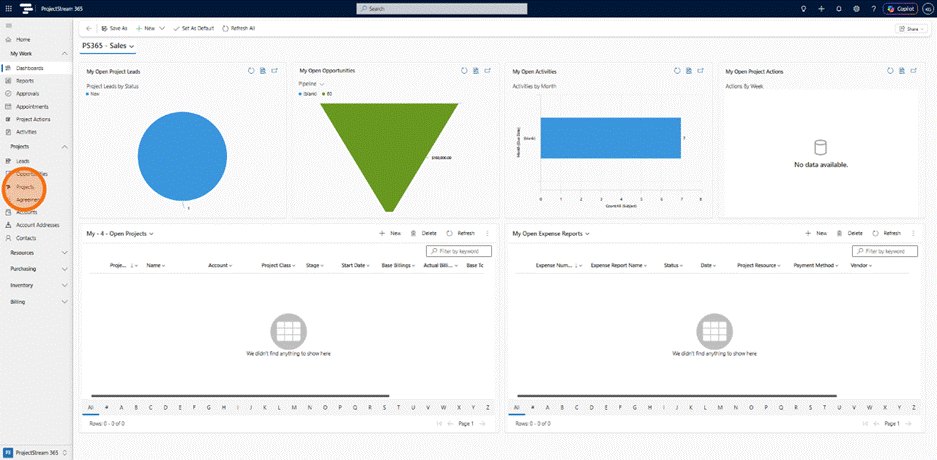
1. Navigate to Projects
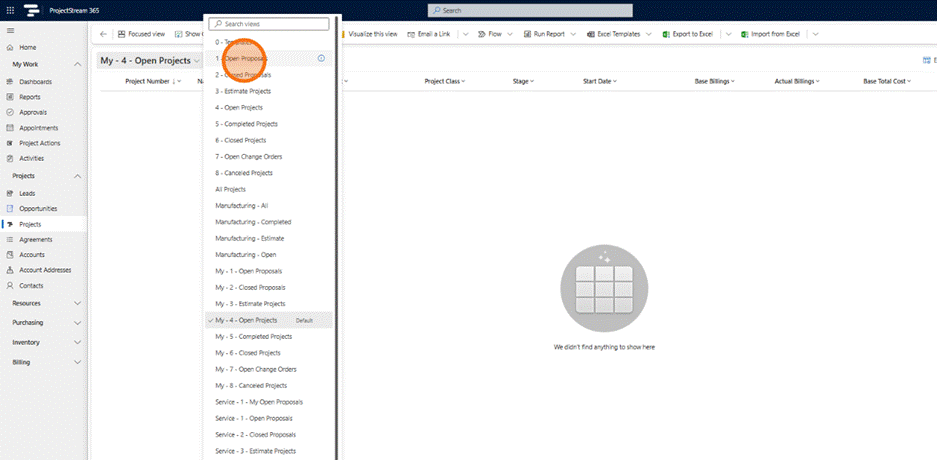
2. Select Open Proposals view
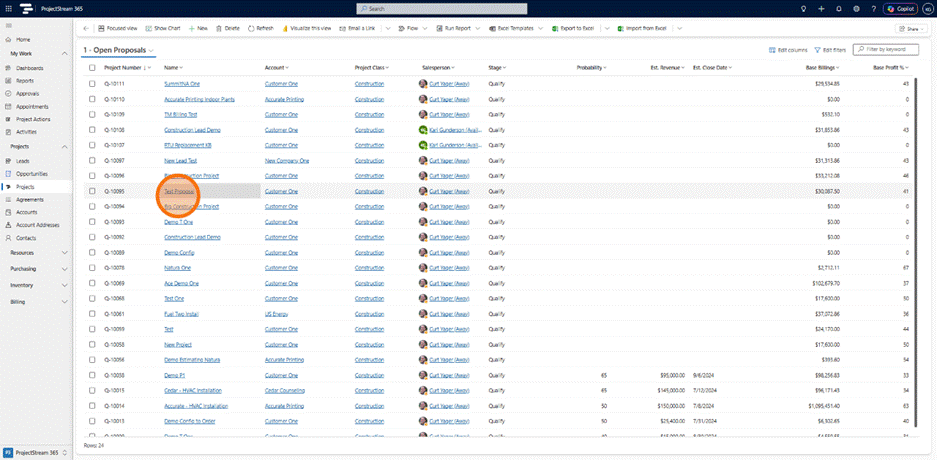
3. Select a proposal
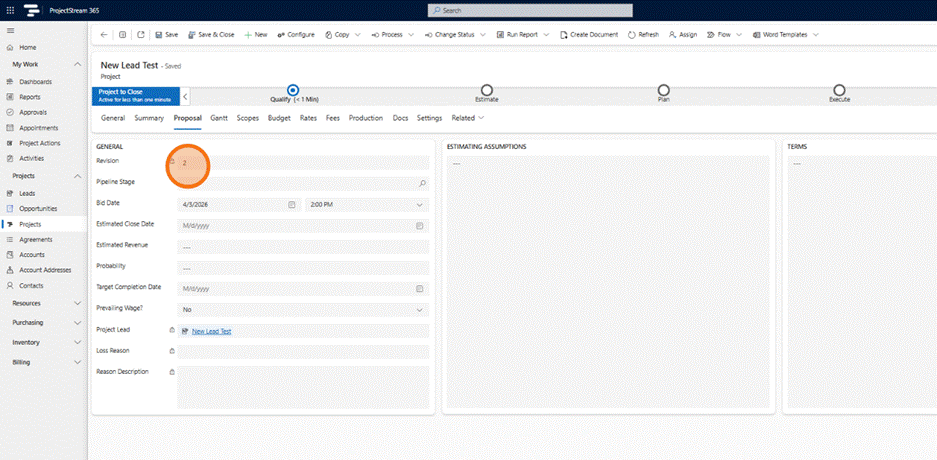
4. Note: Current Revision number on Proposal Tab
5. Click the Copy Menu
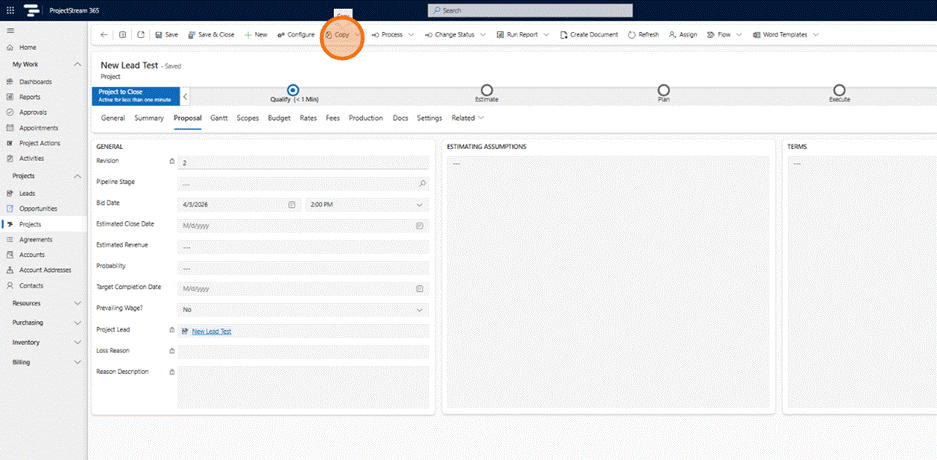
6. Click Revise
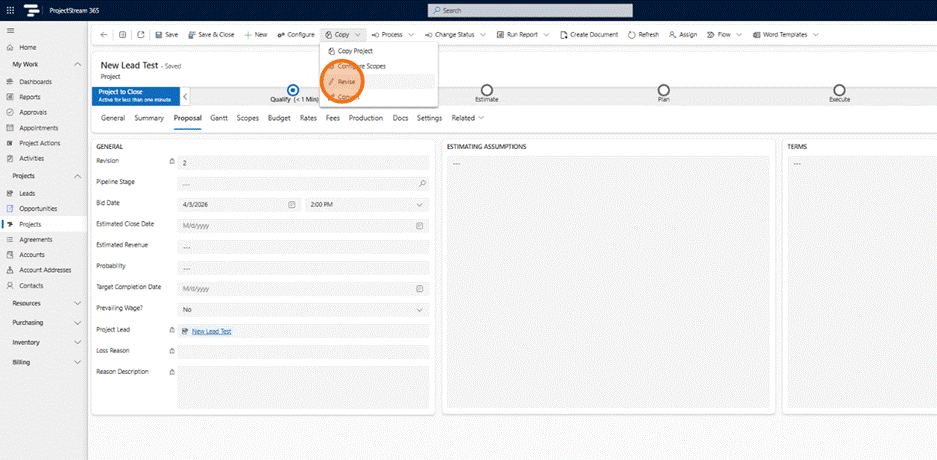
7. Click OK
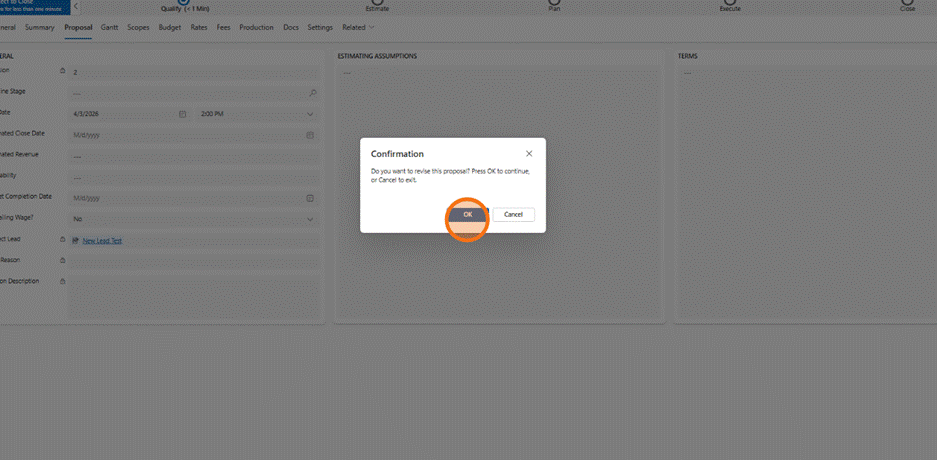
8. Click the Proposal Tab
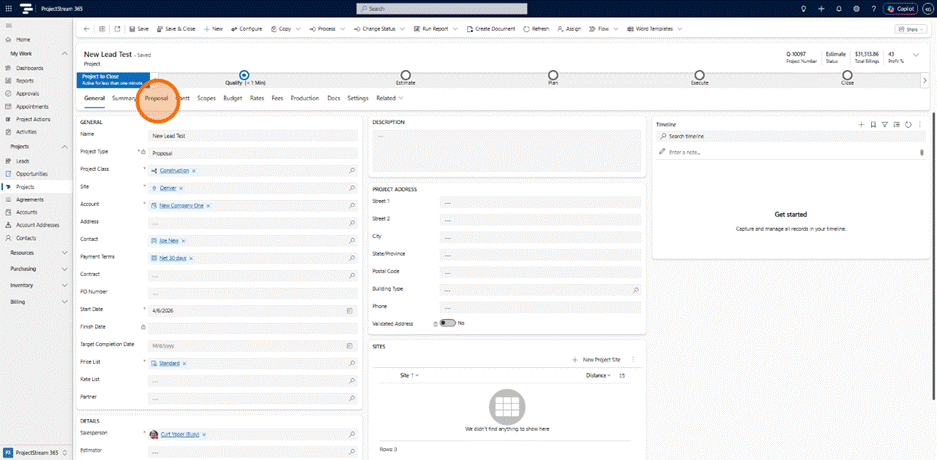
9. Note: Revision number increase
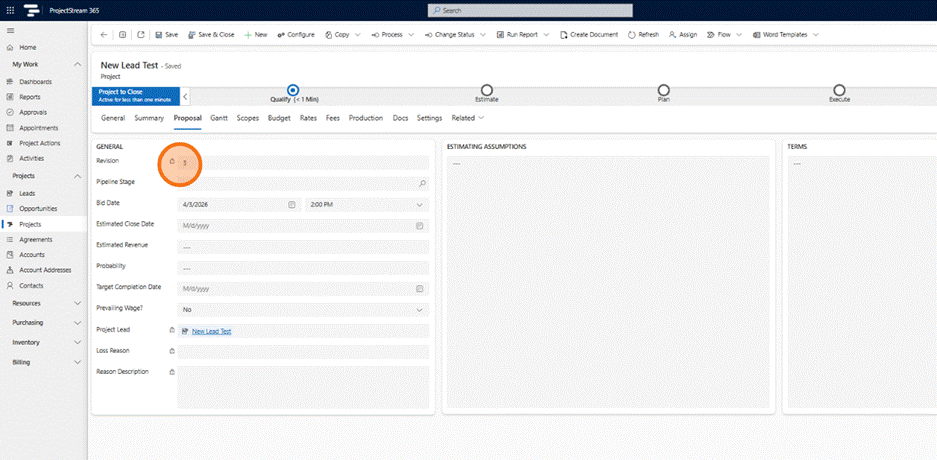
10. Click Save & Close
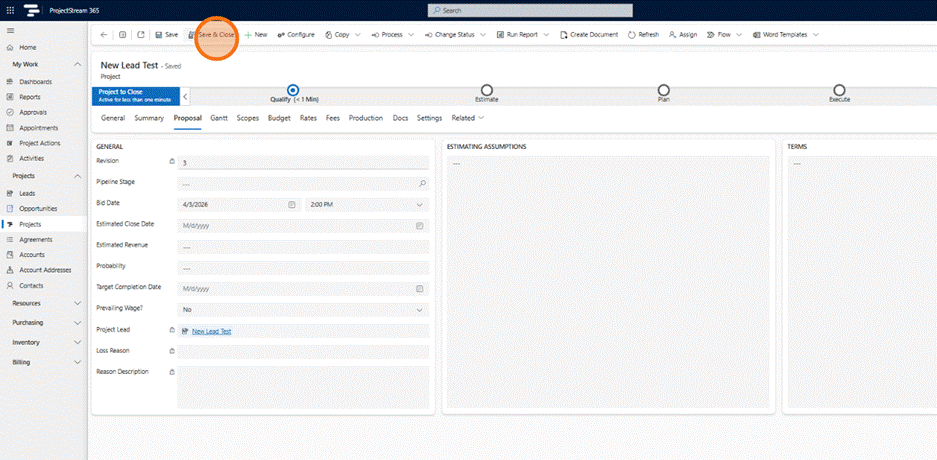
✅ Result
After saving the revision:
- A complete record of proposal changes is maintained.
- Previous proposal versions remain traceable.
- Updated pricing and scope information are available for review.
- Proposal documents reflect the latest approved changes.
- Customer communications can reference specific proposal revisions.
- Management and project teams have a clear audit trail of proposal evolution.
💡 Tips
- Always create a documented revision when making significant proposal changes.
- Use clear revision descriptions that explain what changed and why.
- Avoid overwriting proposal information without preserving revision history.
- Review the financial impact of each revision before issuing an updated proposal.
- Communicate proposal revisions to stakeholders and customers using the revision number and date.
- Retain previous proposal versions for contract reviews, negotiations, and future reference.
- Establish a standard revision numbering convention across all proposals.
🔗 Related Actions
- ➡ Enter a Project Proposal
- ➡ Configure Proposal from a Template
- ➡ Manage Project Scopes
- ➡ Enter / Edit Project Budgets
- ➡ Define Resource Rates
- ➡ Enter Project Fees
- ➡ Reprice a Proposal
- ➡ Generate a Proposal Document
🧭 What Happens Next?
After the proposal revision is completed, review the updated pricing, scope, and financial impacts with the customer and project stakeholders. Once the revised proposal is approved, it becomes the current proposal version and serves as the basis for further negotiations, contract preparation, or project conversion while preserving a complete history of previous revisions.
ProjectStream 365 proposal management includes the ability to revise a proposal. When you revise a proposal, the original proposal is deactivated and copied to a new proposal with same number and an incremented Revision Number.