
Assign Lead to Nurture Status
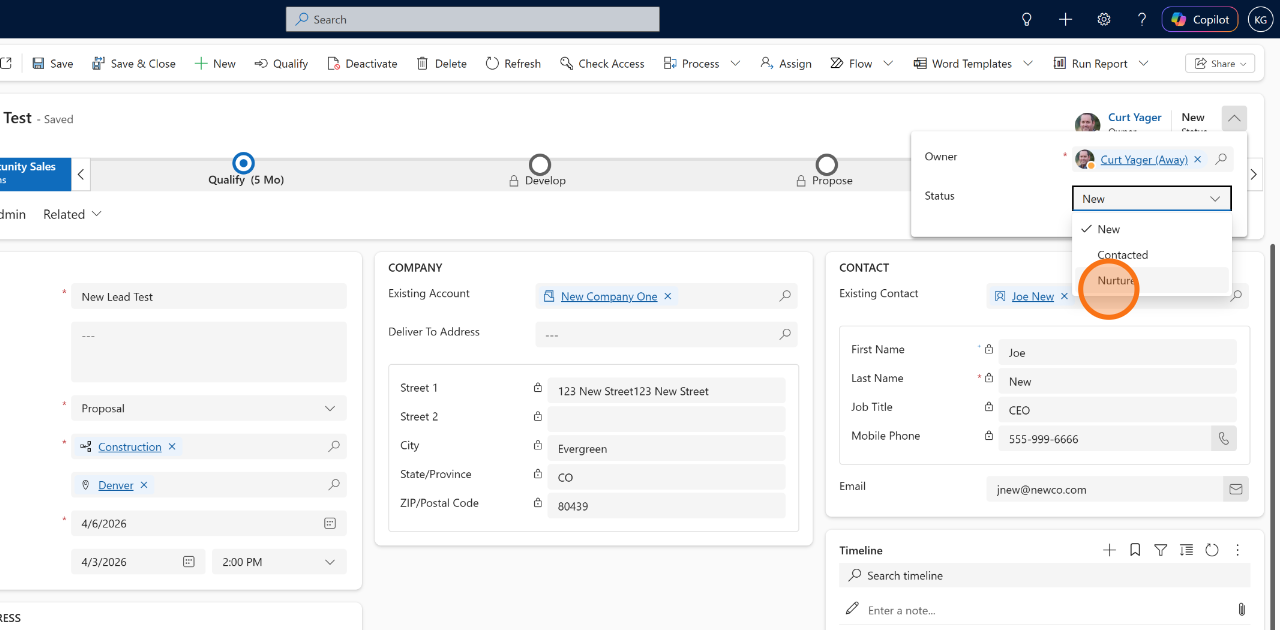
Project Leads maintain a status for improved tracking functionality. Default active Statuses include the following:
- New
- Contacted
- Nurture
Users can simply change status of any active project lead. To close a lead as qualified or disqualified, please see the Qualify or Disqualify a Project Lead procedure.
✅ Goal
Place a lead into a nurture process when additional time, information, or customer readiness is required before qualification.
📍 When to Use This
Assign nurture status when a prospect may become a future opportunity but is not currently ready to proceed.
🚶➡️ Step-By-Step Guide
📋 Procedure
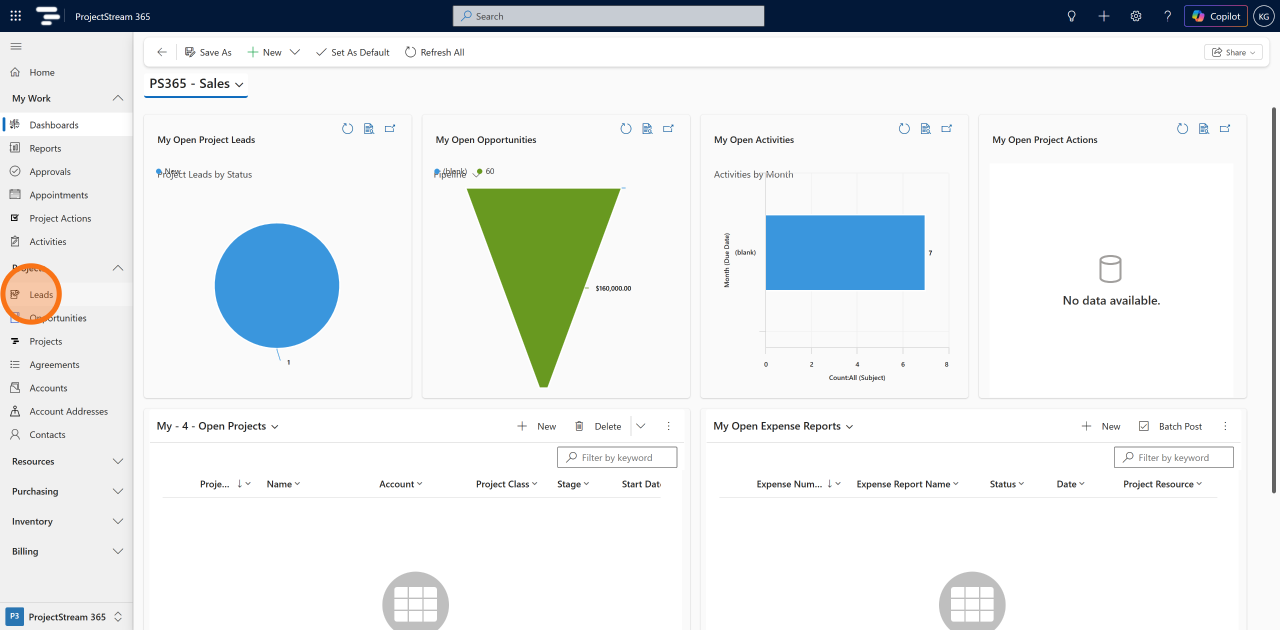
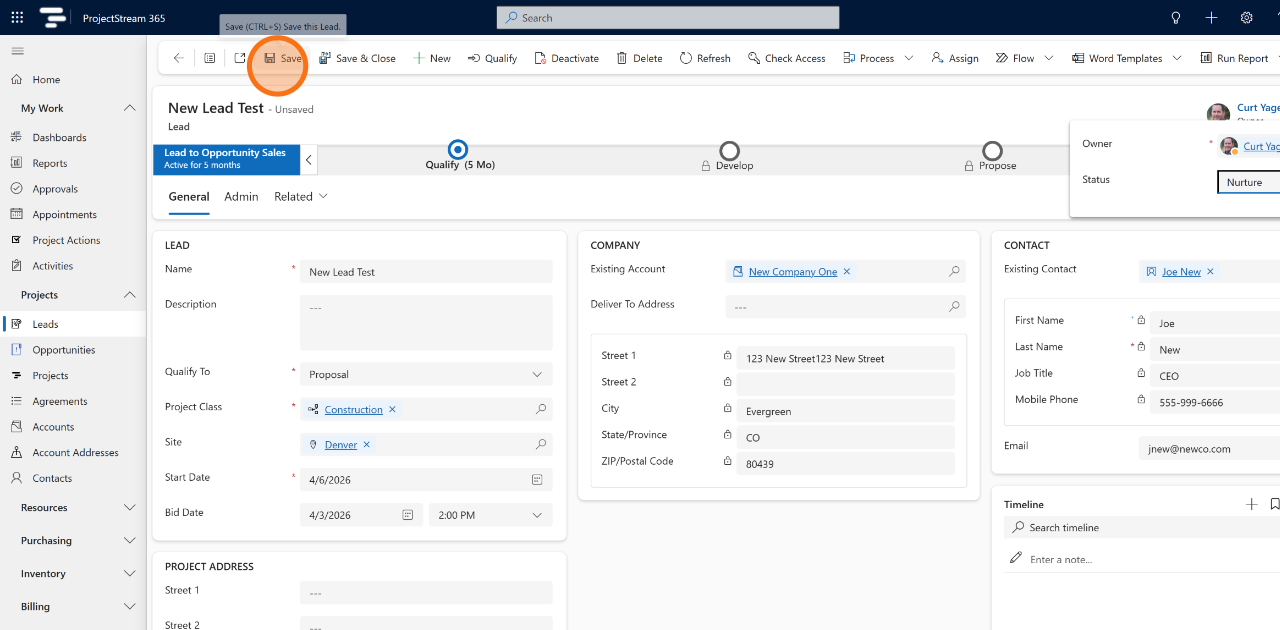
1. Navigate to Leads
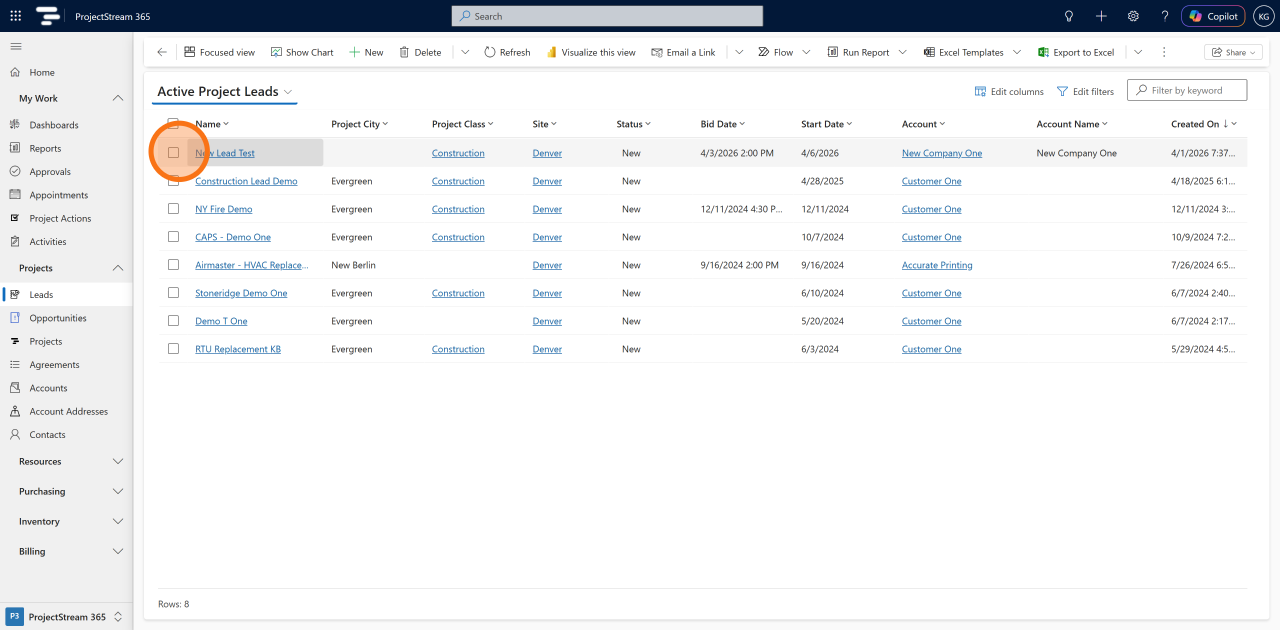
2. Select and existing Lead record
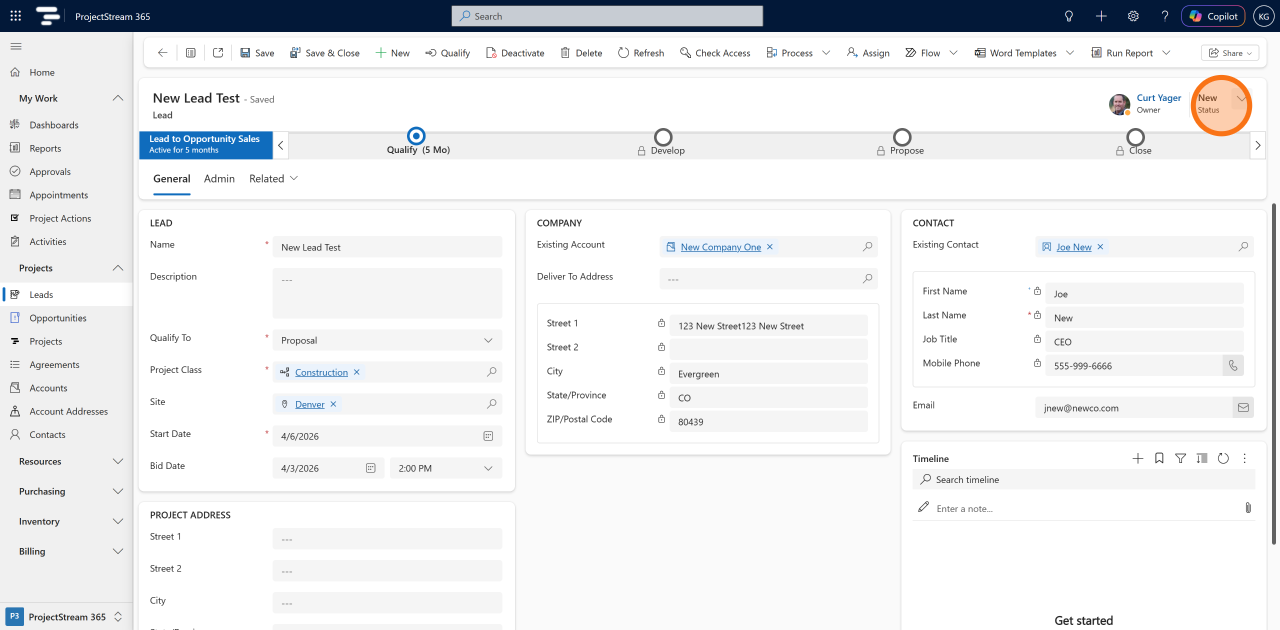
3. Click the Status dropdown
4. Select Nurture
5. Click Save to apply your changes and update the lead record.
✅ Result
The lead remains in the system and can be revisited when conditions are favorable for qualification.
💡 Tips
- Schedule future follow-up reminders.
- Maintain periodic communication with the prospect.
- Track nurture leads separately from active qualification efforts.
- Review nurture leads regularly for re-engagement opportunities.
🔗 Related Actions
- ➡ Conduct Lead Follow-Up Activities
- ➡ Assign a Lead to a Salesperson
- ➡ Qualify Lead to Project Proposal
- ➡ Qualify Lead to Agreement
- ➡ Disqualify Lead with Reason Code
🧭 What Happens Next?
Continue periodic engagement until the lead is ready to be qualified, disqualified, or advanced into the sales process.