
Release a Purchase Order
Releasing a Purchase Order is the final step that makes the PO ready to be issued to the vendor. In ProjectStream 365, the release process moves the Purchase Order to Released status and establishes the PO as an active purchasing commitment that can subsequently be received and invoiced.
Note
If Approval is required, an approve must occur before release is allowed. The purchase order Status will indicate if the purchase order has been approved.
✅ Goal
Finalize and release an approved Purchase Order so it can be issued to the vendor and used for purchasing transactions.
Releasing the PO helps ensure purchasing information has been reviewed and approved, when approval is enabled, before the organization commits to the purchase.
📍 When to Use
Release a Purchase Order when:
- The PO header and line information has been reviewed and is complete.
- Vendor, quantities, pricing, required dates, and delivery information are correct.
- Required approvals have been completed, when the PO approval process is enabled.
- The Purchase Order is ready to be issued to the vendor.
ProjectStream 365 supports optional Purchase Order approvals. When enabled, a PO can be submitted to an approver, approved or returned for changes, and then released after approval.
🚶➡️ Step-By-Step Guide
📋 Procedure
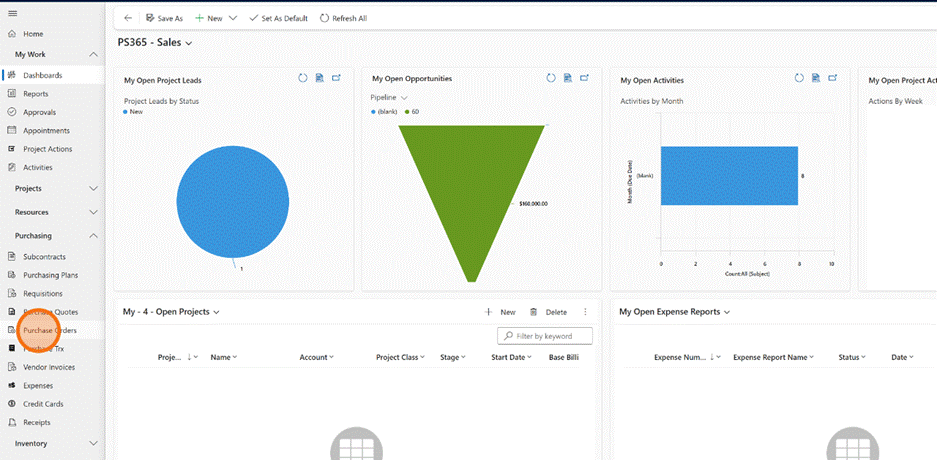
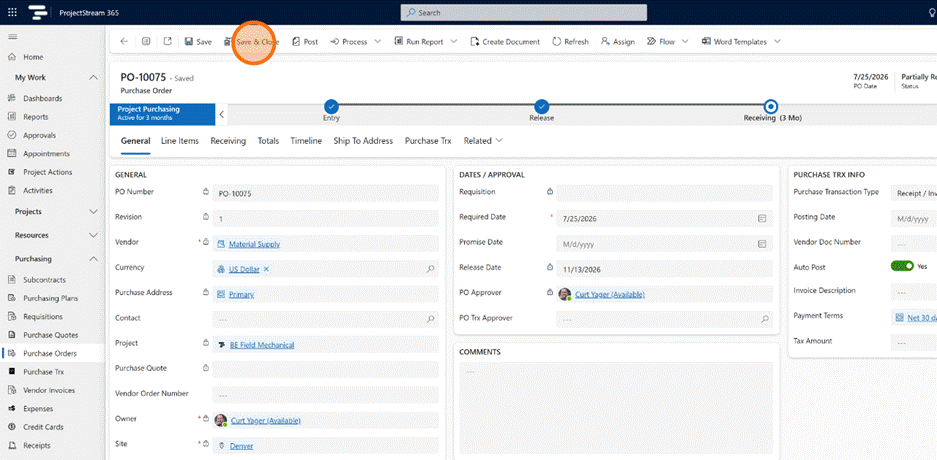
- Navigate to Purchase Orders.
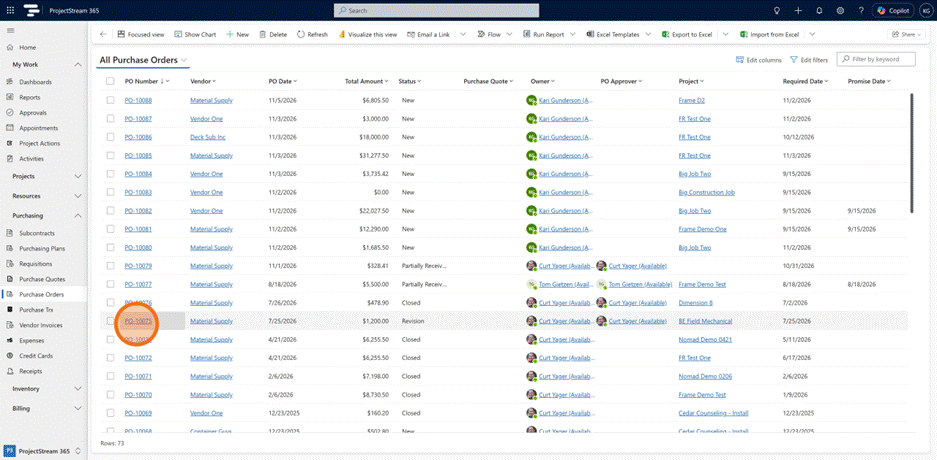
2. Select an open PO
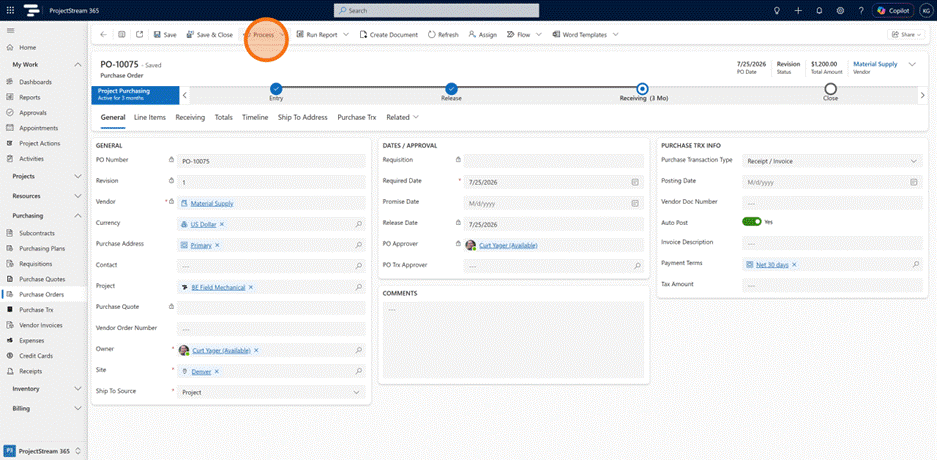
3. Click the Process menu
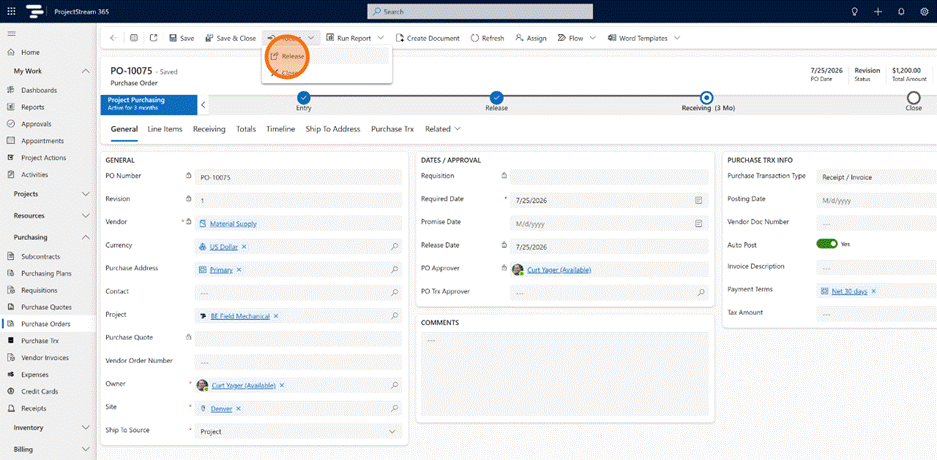
4. Click Release
5. Click Save & Close
✅ Result
The Purchase Order is placed in Released status and is ready to support subsequent purchasing activity.
After release, ProjectStream 365 can process purchasing transactions against the PO, including Receipt, Invoice, Receipt / Invoice, Return, and Return w/ Credit transactions.
💡 Tips
- Review before releasing. Confirm vendor, quantity, pricing, project coding, required date, and shipping information before committing the PO.
- Complete approvals first. When PO approval is enabled, use the approval workflow before releasing the order.
- Use revisions for significant changes after release. ProjectStream 365 supports revisions of previously released POs. A revision automatically creates a revision record, increments the PO revision number, and requires another approval when approvals are enabled.
- Understand Lock Mode. Submitted, approved, or released POs can have editing restrictions. Certain fields remain editable in Lock Mode, but PO line items cannot be edited without moving the PO into revision status.
- Don't confuse Release with Receipt. Releasing authorizes the purchasing commitment. Receiving records the delivery of the purchased goods or services and updates the related project cost.
🔗 Related Actions
- ➡ Generate POs from Purchasing Plan
- ➡ Submit a Purchase Order for Approval
- ➡ Approve a Purchase Order
- ➡ Revise a Purchase Order
- ➡ Enter Purchase Transactions
- ➡ Approve or Reject a Purchase Invoice
- ➡ Post a Purchase Transaction
🧭 What Happens Next?
After the Purchase Order is released, send it to the vendor and monitor fulfillment.
As products or services are delivered, enter the appropriate Purchase Transaction in ProjectStream 365. A Receipt updates the project cost and accrues the amount payable to the vendor, while invoice-related transactions feed the Accounts Payable process.
Once the PO has been fully received, ProjectStream 365 can place it in Received status. When it is invoiced in full, the PO can progress to Closed status.